Text Maker.
One text plugin, endless animations, no keyframing by hand. Drag it on, pick a move or a preset, stack effects and modifiers, done. It works in the Edit and Fusion pages, in both the Free and Studio versions of DaVinci Resolve.
One payment. Every update included.
- 1PluginOne title, one node.
- 10,000+Entrance combinationsType, order, direction, easing and the effect stacks, all combined.
- 4Animation Modes
- 3Easing Choices
- 6Animation Effects
- 10Effects, plus 3 Styles
Endless looks. One node.
Every title on this sphere is Text Maker, just with different picks. Grab it and spin.Every look comes out of the same node, just with different picks.
Everything in five tabs.
The whole plugin lives in one Inspector, on the Edit page and in Fusion. Here it is, rebuilt row for row from Text Maker v1.1 itself, the way a new title opens it. Switch tabs and open any nest.
Every value is the default a new title starts with. In Resolve, more rows appear as you pick options, like an effect's controls when you click Show. Here the controls stay still.
The Inspector keeps its real width. Swipe it sideways to see the right edge.
Pick a move. Try it yourself.
The Animation Center, rebuilt in your browser with the plugin's own controls. Pick a type, an order, a direction and an easing, then press play. In Resolve it's the Animation tab.
Tap or click the line to add a point, drag its arms to bend the curve. Past 1 or below 0 gives overshoot.
Or start from a finished look.
Right in the Animation Center, one Animation Preset menu holds 23 presets, 14 Regular and 9 Special. One click sets the whole animation, the Special ones bring controls of their own, and every value stays yours to change. Your own looks come later, in My Presets.
Then stack more on top.
Six Animation Effects spice up any entrance: Fade, Blur, Size, Rotation, Color Change and Wobble. Turn on one or all six. Five of them play in, out or both, and Wobble never stops.
Then give it character.
Physics squashes and stretches letters with the motion's own speed. Character Level Animating gives a letter, word or line a timing and a move of its own. One Modifiers switch turns both off, and On brings every setting back.
Make your
text move.
Custom opens Stretch, Squash, Swing, Wobble Speed and Wobble Decay.
Each slot picks one by number or a whole range. Anything left Off follows the main animation.
Recorded in DaVinci Resolve Physics on a real timeline.
Animation Presets leave Physics and Character Level Animating as you set them. My Presets save them with the rest of the look.
Then fly a camera through it.
Your sentence becomes a word layout, 2D or 3D, and a virtual camera flies from word to word, then pulls back to show it all. Six arrangements, three camera moves, Depth of Field in 3D, and on the Fusion page an image as a background the camera flies past. It has its own switch, so the Modifiers switch leaves it alone.
- 3D Type
- Scatter Arrangement
- Ease Camera Move
Finish it in the same node.
Ten effects live on the Effects tab, from Shadow to Motion Blur, and every one follows each letter's motion. One switch shows the clean text, Proximity included, and every setting waits for you.
Glow
A bloom in each pixel's own color, gradients and rainbows included.
Shadow
Drop, Soft or Inner, each with its own Strength, Angle, Distance and Softness.
Bevel
A raised edge lit by a light you angle or set to orbit.
Light Sweep
Up to four shines that loop with no keyframes.
Outline
Hollow letters that keep their color, gradients included.
Highlight
A rounded box behind each letter, word or line that moves with it.
Stroke
A band around the letters, or a border for the Highlight box.
Trails
A glowing echo behind every moving letter, on top of any preset.
Motion Blur
Real sub-frame blur, even on Edit page titles.
Styles
Gold, Nuclear and Shiny Bevel, finished looks ready to drop on a title.
Then break it.
Impact replaces the exit. Once the title has done its job, break it like glass, blow the letters apart with spin or drop them under real physics.
Glass shards, up to 90, small at the point of impact and larger at the edges. Every effect rides on the shards. Every letter blown apart with spin, fast off the mark and easing to a stop. Letters fall with real rigid body physics, bounce, tumble and pile on a floor, on the solid parts of an image, or out of frame.
Make it react.
Letters react to how close they are to a point you move, or to the solid parts of an image you connect. Proximity lives on the Effects tab with its own switch, and Effects Off turns it off with the rest.
Recorded in DaVinci ResolveDefault Effector with Scale, Repel, Point To and Color
- Effector
- A guide point with a radius, or an image connected on the Fusion page.
- Effects
- Nine to combine: Opacity, Scale, Position, Rotation, Repel, Attract, Point To, Color and Blur.
- Zone
- Default, or Invert so the far letters react instead.
- Style
- Letter by letter, or word by word.
Make it once. Keep it forever.
Dial in a whole look, give it a name and save it. It waits on the My Presets tab in every project on your computer, ready in one pick.
My Preset
- None
- Everything what it saves The whole look: text, font, colors, position, animation, effects and modifiers. Never the clip timing or anything connected.
- Every project where it lives One library on your computer, ready in every project and every Text Maker node, and kept through every update.
- One pick how it comes back Choose it under My Presets and the whole look loads in. Rename or remove it there too.
Give it a shape.
Four layout types in one node. Keep a normal text block, wrap it in a box that shrinks the text to fit, bend it around a ring or send it along a curve you draw.
-
Text A normal text block, lines as you type them.
-
Box Wraps whole words, never splitting one.
-
Circle Text on a ring, wrapped around it, as spokes from the center, or upright on screen.
-
Path Rides a curve you draw with a Polygon in Fusion.
Style any part of your text.
Choose the whole text, a letter, a word or a line, one by number or a whole range, and give it a look of its own. Three examples are playing here.
- Target
- Text
- Letter
- Word
- Line
- Pick
- One by number
- A range
- Restyle
- Font and Style
- Size
- Position
- Color or Gradient
- Slots
- Three at once
- The later slot wins where they overlap
The text stays one node. Styled sizes follow the main Size when it animates, and one Reset clears all three slots.
Same title. Two workflows.
On the left, a title animated by hand with Text+ and keyframes. On the right, the same title in Text Maker.
Learn it in minutes.
A short course in eight lessons, one per part of the plugin, about 11 minutes in all. Start with the quick look: the whole workflow, edited down to the essentials.
- 8LessonsOne per part of the plugin.
- 11Minutes, aboutOne or two per lesson.
- FreeEvery lessonHere and on YouTube.
- IncludedInstallation videoIn the download, for a manual install.
- Eight lessons Pick one and it plays here. One or two minutes apiece.
Works where you edit.
DaVinci Resolve 20 and newer, Free and Studio, on macOS and Windows. Drag the title onto the Edit page or drop the node in Fusion, and animate the captions AutoSubs and SnapCaptions make for you.
- 20+ DaVinci Resolve Version 20 and newer, Free and Studio.
- Edit & Fusion Pages Drag the title onto the Edit page, or drop the node in Fusion.
- macOS & Windows Systems One download for both.
- AutoSubs & SnapCaptions Caption tools Text Maker animates the captions they generate.
Fair questions.
Everything editors ask before they buy. Still unsure? Send a message from the Support page.
- Edit and Fusion pages Free and Studio.
- macOS and Windows An installer for each, and a manual install with a video.
- Updates Free, from your Gumroad library. Check for Updates in the plugin opens it.
Does it work in the free version?
Yes. DaVinci Resolve 20 and newer, Free and Studio, on the Edit and Fusion pages.
Do I need to know Fusion?
No. Drag the title onto the Edit page and all five tabs come with it. Only five inputs connect on the Fusion page: Path, Mask, Proximity Map, Collapse Bitmap and Sequence Cam Image.
Will installation be hard?
No. Open the installer for your system, click Install and restart DaVinci Resolve. The installers are not signed yet, so the first time Windows may ask you to click More info, then Run anyway, and a Mac may need Open Anyway under Privacy & Security in System Settings. The download also has a Manual Install folder with an install video.
Will it slow down my timeline?
Tick Fast Playback while you edit, then untick it for the final render. Shatter, Glow and Motion Blur are the heavy ones. Timing is tuned at 30 fps, and the Attention note in the plugin names the controls to retune at other rates.
Can I mask the text or render vertical and custom sizes?
Yes. Connect any mask to the blue Mask input, with Invert Mask and Multiply By Mask. Untick Auto Resolution to type any size up to 32,768 pixels a side.
Can I use my own fonts and languages?
Yes. Every installed font works, 23 writing systems fall back automatically, Arabic shapes right to left, and Character Level Styling can swap the font of a single word.
Are updates included, and does it phone home?
Updates are included. The download link in your receipt always serves the newest version. The plugin never checks a license and sends nothing.
Can I change the Inspector colors?
Yes. Personalization themes the Inspector Solid or Rainbow, with 101 palettes, and it follows you into every project.
Can I use it for client work?
Yes. Client work and monetized videos, under the single-user license in the download.
DaVinci Resolve and Fusion are trademarks of Blackmagic Design Pty. Ltd. macOS and Windows are trademarks of their respective owners. Adam Blue Plugins is independent and is not affiliated with, endorsed by, or sponsored by Blackmagic Design.
Your edit, your verdict.
Already animating with Text Maker? Rate it and tell other editors what you made with it. Your review goes up the moment you send it.
0.0
Thank you.
Your review is up on this page now, and it already counts in the rating.
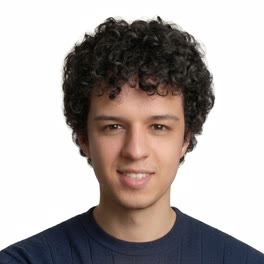
I'm Adam. I edit every day in DaVinci Resolve, and I built Text Maker because I was sick of rebuilding the same title animation in Fusion for every single project. Now I drop Text Maker on the timeline, tweak it to my liking, and get back to the edit.
Make your text move.
Made by an editor, for editors.
$39 $79
One payment. Every update included.
Includes 23 Animation Presets and My Presets, 10 effects and 3 Styles, the Edit page title and the Fusion node.
Get Text Maker for $39Instant download right after checkout. By buying you agree to the Terms and the License.
- Resolve
- 20 and newer, Free and Studio
- Pages
- Edit and Fusion
- Systems
- macOS and Windows
- Captions
- Animates AutoSubs and SnapCaptions captions
- License
- Single user, client work included
- Support
- Email from inside the plugin